
Connect your WordPress website to ELNIQ GEO in minutes
The easiest way to connect a WordPress website to the ELNIQ GEO platform. Monitor AI crawlers, collect AI visibility data, and manage your integration directly from your WordPress dashboard.
Download from WordPress.org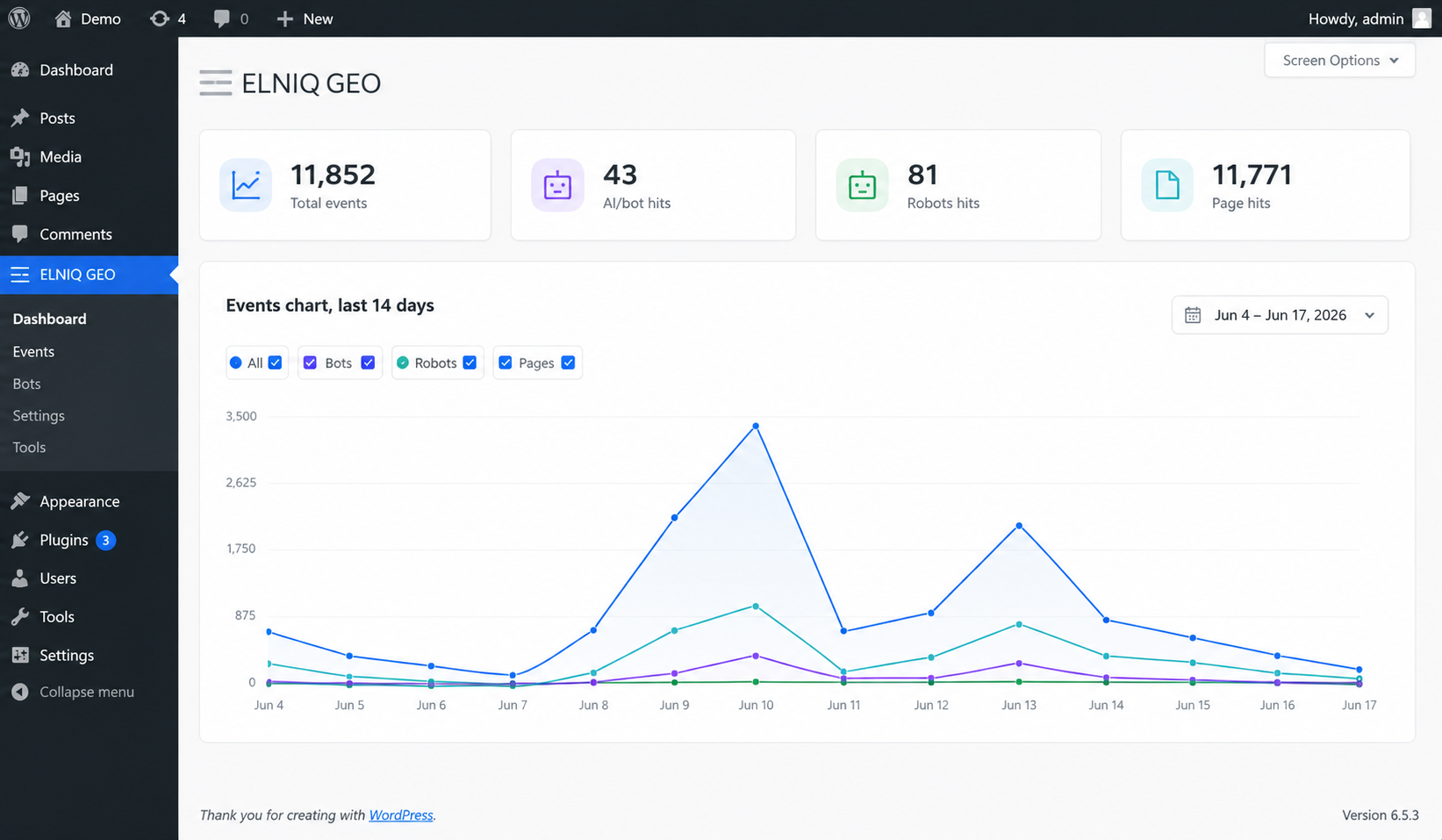
Two ways to connect your website
The WordPress plugin is an alternative integration method available exclusively for WordPress websites. Both integration methods connect your site to the same ELNIQ GEO platform.
WordPress Plugin or Full Platform?
The WordPress plugin provides access to the AI Crawler Monitoring module of ELNIQ GEO. It lets you monitor AI bots, crawler activity, requests, events, and robots.txt directly from your WordPress dashboard.
The full ELNIQ GEO platform includes additional modules, such as AI Visibility, brand visibility monitoring, competitor analysis, GEO insights, reporting, and future platform features.
The plugin complements your ELNIQ GEO account — it does not replace the full platform.
Monitor AI crawler activity without leaving WordPress
Events dashboard, statistics, charts, and recent requests — all inside your WordPress admin.
See every AI crawler request
ChatGPT, Claude, Gemini, Perplexity, robots.txt requests, page requests, user agents, URLs, and trust score — all logged in one table.
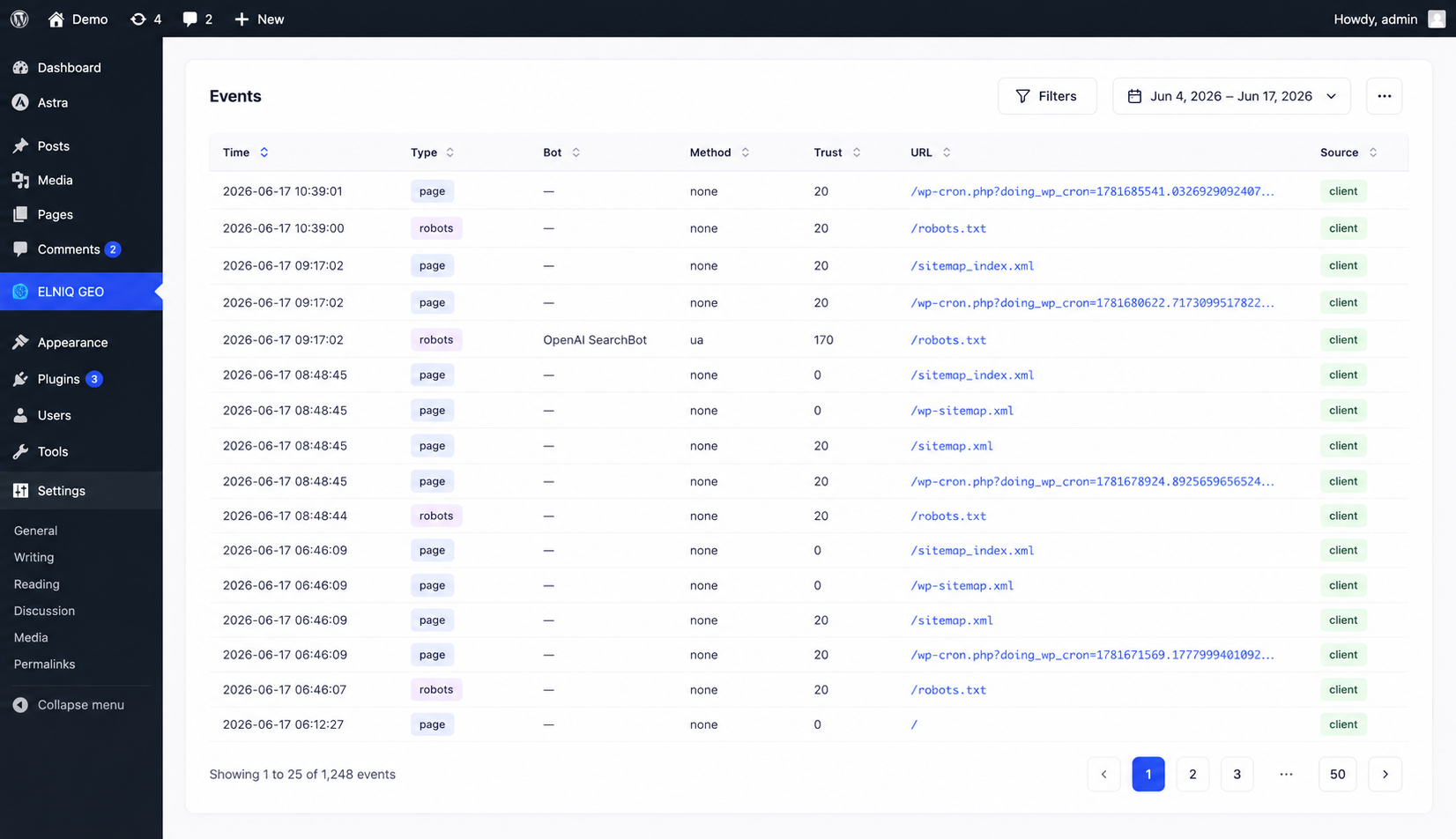
Every request is synchronized with your ELNIQ GEO account for deeper analysis.
Why use the plugin?
What data is collected?
A short summary — the full list is available in the plugin readme.
Who is it for?
Requirements
Installation
Ready to connect your WordPress site?
Install the official ELNIQ GEO plugin and start monitoring AI crawler activity in minutes.